

Boosted Posts: Setup, Fees, and When Ads Manager Wins
A boosted post pays to show an existing Facebook or Instagram post to people beyond your current followers. Use it as a distribution shortcut. Use Ads Manager when conversion setup, tests, or delivery control decide success.
A boosted post is paid distribution of an existing Facebook or Instagram post, using that live post as the ad creative. It extends reach beyond people who already follow the account. It is one input to paid social, not a substitute for conversion tracking, creative tests, or campaign structure.
Meta documents boosting from a Facebook Page and from an Instagram professional account. Availability, goals, and placements depend on the post type, the account, and the surface you boost from.
Boosted post vs. full ad campaign
| Feature | Boosted post | Full ad campaign |
|---|---|---|
| Setup | Boost control on a live post, Ads Center, or Business Suite | Ads Manager campaign, ad set, and ad |
| Creative | The existing post. Advantage+ creative may vary delivery | Multiple formats, drafts, and tests |
| Targeting | Advantage+ recommended audience or a custom audience | Broader ad-set audience and exclusion controls, depending on the objective and account |
| Placements | Chosen in the boost flow. Instagram Help lists Explore, Home, profile feed, and Stories for Instagram boosts | Placement controls in Ads Manager |
| Optimization | The goal offered for that post | Campaign objective plus pixel, Conversions API, and catalog events when configured |
| Best for | Extra distribution on a post that already states the offer | Scaled delivery, funnel goals, and experiments |
Teams that outgrow boosting often pair organic posts with structured paid social, carousel ads, and engagement rate reporting. For the content plan behind the post, see content marketing.
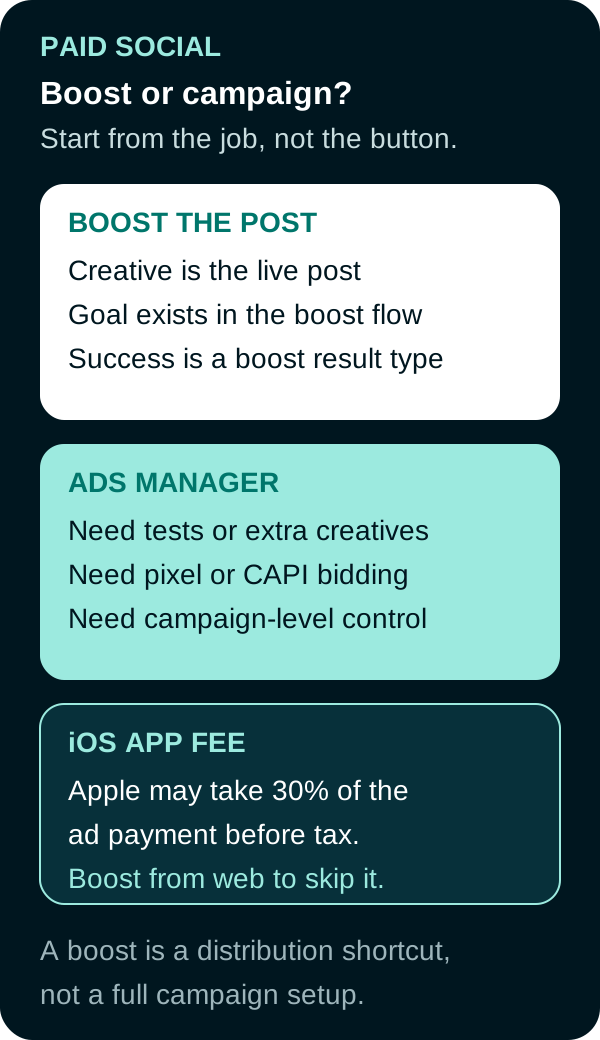
Use a boost to extend a post that already works. Build an Ads Manager campaign when the job needs conversion setup or delivery control the boost flow does not provide.
Account, device, and fee variation
Confirm these before you tap Boost:
- Facebook: a Page, plus Facebook access to the Page or task access to Ads.
- Instagram: a professional account. First-time boosters connect an ad account or keep Facebook and Instagram billing separate.
- EU, EEA, and Switzerland: Meta limits advertising if the Accounts Center has a subscription to use Meta products without ads or with a less-personalized ad experience.
- Special Ad Category: select the required category when the post concerns housing, employment, or financial products and services. Political, electoral, and social-issue advertising has separate authorization, disclosure, and geographic rules; Meta stopped delivering those ads in the European Union on October 6, 2025.
- Ad transparency: Meta’s boost flow can require verification of who benefits from and pays for the ad.
Apple service fee. Starting February 2024, boosting in the Facebook iOS app can route payment through the Apple App Store. Instagram Help states the same pattern for the Instagram iOS app. In most regions, Apple may add a 30% service fee on the total ad payment, before taxes and local fees. Meta says Apple retains that fee. Delivery is the same if you boost from the website, Business Suite, or Ads Manager instead.
Ways Meta documents to avoid that fee:
- Boost on facebook.com or instagram.com in a browser.
- Boost from Meta Business Suite or create the ad in Ads Manager.
- Add prepaid funds from a computer or the Ads Manager app, then use those funds if you still boost in the iOS app.
Paying in the iOS app is not a cheaper CPM. It can raise the amount you pay for the same delivery.
How to create a boosted post
Meta’s Facebook desktop path (Ads Center) is:
- Switch into the Page.
- Open Ads Center, then Advertise, then Boost Facebook content.
- Choose the post. Meta fills images and text from that post. Not every field appears for every post type.
- Set goal (manual, or let Facebook choose), audience, duration, daily budget, placements, and payment method.
- Select any required Special Ad Category and complete the applicable ad-transparency fields. Then choose optional creative or contact features offered for that post.
- Review the destination, audience, budget, duration, placements, and payment method, then publish.
Instagram uses the professional account’s boost control. Product-tagged feed posts can be boosted. Confirm the current Instagram placements in Boost a post on Instagram.
Editing a boosted post
You can usually change audience, budget, duration, and status from the Page, Ads Center, or Business Suite. You cannot edit the text, image, or video of a boosted post after it has been reviewed and published as an ad. Meta’s Ads Manager editing Help also states that you can view boosted-post results in Ads Manager, but you cannot change that creative there. To change copy or media, publish a new post and boost that post.
Ads created from a Page or Business Suite are edited there, not as a standard Ads Manager draft. If the original Page post is deleted, you cannot keep using it as the ad.
Preflight, tracking, and qualified actions
Write the business job first: more comments on this post, more profile visits, more messages, or a site action such as a purchase.
| Check | Why it matters |
|---|---|
| The post already states the offer | Boosting a vague post pays to show a vague post |
| The boost goal matches that job | Meta will optimize toward the result type you pick |
| Destination, form, or messaging path works | Broken links and closed inboxes waste spend |
| Pixel and Conversions API, if the job is on-site | Confirm the site event fires and reaches Events Manager; the boost result alone does not prove it |
| UTM or click IDs on outbound links | So event tracking can separate paid post traffic |
| Payment surface | Browser or Ads Manager if you need to avoid the Apple iOS fee |
| Staffed hours for message or call goals | After-hours boosts can buy conversations nobody answers |
Measure the result type that matches the goal, spend, and cost per result. For a qualified-lead or purchase goal, confirm the event in Events Manager and reconcile it to the CRM or commerce system. That connects the boost’s delivery report to the business result.
When the boost is enough, and when it is not
Use a boost when the live post is the creative you want, the available goal matches the job, and success can be read from that boost’s result type.
Use Ads Manager when you need multiple creatives, a catalog, Advantage+ shopping or other campaign types, conversion bidding on pixel or Conversions API events, or structured tests. You can still use an existing post as an ad in Ads Manager. That is a different setup from the Boost button, with different edit and optimization rules.
A boosted post is a distribution shortcut. It is the right tool when an existing post already has a clear audience and objective. It is the wrong tool when conversion tracking or delivery controls determine success.
Frequently Asked Questions
What is a boosted post?
A boosted post is paid distribution of an existing Facebook Page or Instagram professional-account post. Meta uses the live post as the ad creative and shows it to people you choose, for a budget and duration you set.
How is a boosted post different from a full ad campaign?
A boost starts from one live post and a shorter setup in Ads Center, Meta Business Suite, or the app. Ads Manager campaigns can use multiple creatives and broader objective, audience, placement, bid, and conversion controls when the account and campaign type support them.
What should I measure on a boosted post?
Measure the result type that matches the goal you selected, plus spend and cost per result. If the business job is a site action, confirm that action in Events Manager. Boost engagement is not the same as a qualified lead or purchase.
How do I avoid the Apple service fee when boosting?
In most regions, boosting inside the Facebook or Instagram iOS app can add Apple’s service fee of 30 percent of the ad payment, before taxes and local fees. Meta says the fee is retained by Apple. Boost from facebook.com or instagram.com, Meta Business Suite, or Ads Manager, or add prepaid funds from the web and then use those funds in the iOS app.
Sources
- Meta Business Help, Boost a post from your Facebook Page, accessed September 20, 2026.
- Instagram Help, Boost a post on Instagram, accessed September 20, 2026.
- Meta Business Help, Avoid the Apple service fee when boosting Facebook ads, accessed September 20, 2026.
- Meta Business Help, Avoid the Apple service fee when boosting content on Instagram, accessed September 20, 2026.
- Meta Business Help, How to edit ad campaigns in Meta Ads Manager, accessed September 20, 2026.
- Meta Business Help, Create ads from your Facebook Page, accessed September 20, 2026.
- Meta Business Help, Choosing Meta Ads Manager advertising objectives, accessed September 20, 2026.
- Meta Newsroom, Ending political, electoral and social issue advertising in the EU, updated October 6, 2025, accessed September 20, 2026.
PUT THIS KNOWLEDGE TO WORK
NEED MORE HELP?
Talk with our team about applying Boosted Post to your marketing.
Get a free marketing audit call